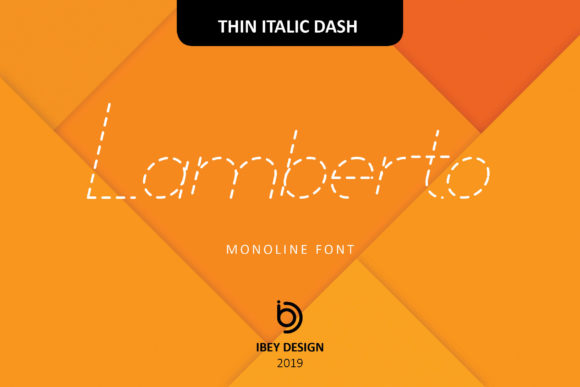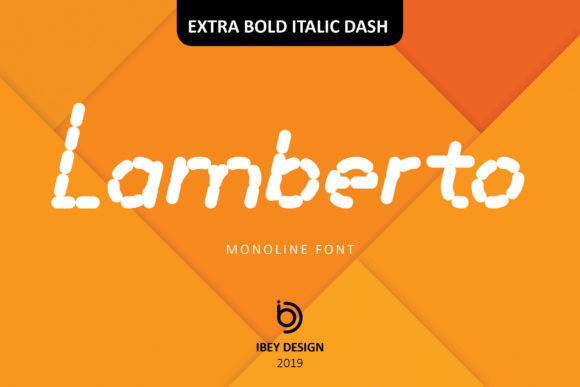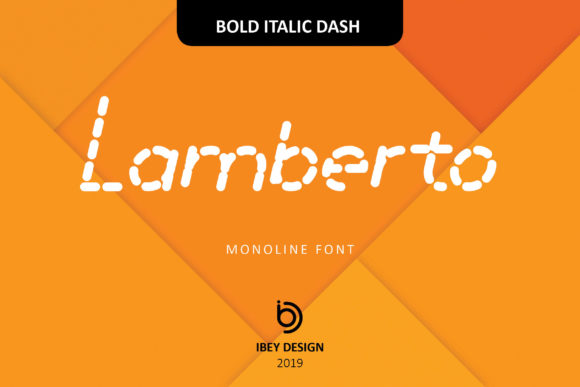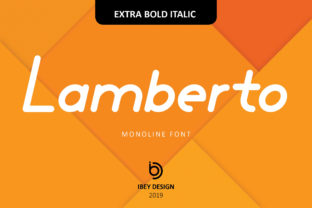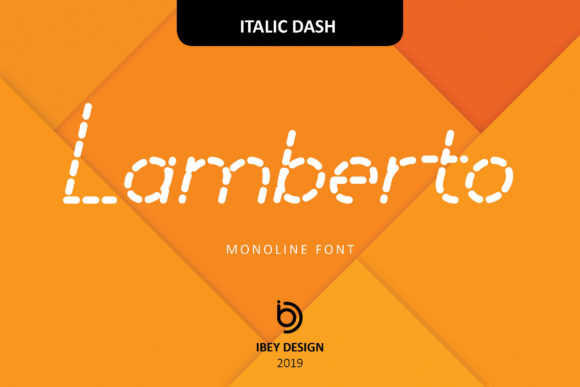
Lamberto Italic Dash: Bold, Clean, Unmistakable
When a font stops being just a tool and starts shaping tone, attention, and intention—that’s when you know it’s more than typography. Lamberto Italic Dash is exactly that kind of typeface: a monoline display font built for impact without compromise. Its sharp, confident slant and tightly tuned rhythm come from deep respect for classic lettering—but its execution is decisively modern. No optical corrections to soften edges, no contrast between thick and thin strokes—just one consistent line weight, angled with purpose, designed to command space and hold focus.
What Makes Lamberto Italic Dash Stand Out
Unlike many italic fonts that lean for elegance or speed, Lamberto Italic Dash leans for presence. Its monoline construction eliminates visual noise, making it exceptionally legible at large sizes—even on screens with variable resolution or in fast-scrolling digital environments. The “Dash” in its name isn’t decorative; it reflects its function: a deliberate, energetic interruption in the flow of content. That makes it ideal for moments where you need to signal importance—not just visually, but emotionally.
It’s not meant for body text. And that’s intentional. Lamberto Italic Dash thrives where brevity meets boldness: headlines, logos, poster titles, app splash screens, social media banners, packaging accents, and exhibition signage. Its strength lies in how quickly it communicates attitude—contemporary, assured, unapologetically direct—without relying on ornament or exaggeration.
Creative Applications You Can Use Today
Designers and marketers often reach for display fonts to solve specific communication problems—not just to “make things look nice.” Here’s how Lamberto Italic Dash fits real workflows:
- Brand identity systems: Pair it with a neutral sans-serif (like Inter or Manrope) for contrast that feels intentional, not arbitrary. Use Lamberto Italic Dash only for primary brand marks or campaign slogans—keeping usage disciplined ensures it retains impact over time.
- Digital product interfaces: In dashboard headers, feature announcements, or onboarding slides, it adds hierarchy and energy without sacrificing readability. Try it at 32–48px on light or dark mode backgrounds—its even stroke weight holds up better than high-contrast italics under anti-aliasing.
- Print and physical media: On tote bags, event posters, or vinyl record sleeves, its clean geometry translates cleanly to screen printing and foil stamping. Because there are no fine hairlines or serifs to break at small scales, it remains crisp even in single-color applications.
- Educational and editorial projects: Educators building workshop handouts or freelancers designing course landing pages can use it to highlight core takeaways—“Your First Prototype,” “No Code Required,” “One Week Challenge”—making key messages feel both urgent and achievable.
Adapting Lamberto Italic Dash Across Audiences and Platforms
Small business owners launching a new service don’t need complex typographic theory—they need clarity and confidence. Lamberto Italic Dash supports that by reducing decision fatigue: if it’s used once per page or screen, for one critical phrase, it almost always works. No need to adjust tracking or kerning manually in most cases—the spacing is thoughtfully balanced out of the box.
Bloggers and content creators can apply it selectively in featured quote graphics or newsletter headers. A short, powerful statement—“Clarity starts before the first sentence”—set in Lamberto Italic Dash feels like a pause worth taking. Just avoid stacking it with other highly stylized fonts; its strength is in contrast, not competition.
For publishers and indie zine makers, consider using it for issue titles or section dividers—not as decoration, but as structural punctuation. When paired with generous whitespace and restrained color (think charcoal on oat, navy on cream), it creates rhythm without clutter. Consistency matters more than variety here: if you use it for all cover titles across a series, readers begin to associate that tilt and weight with your voice.
Practical Tips for Stronger Results
Start simple. Set a single word or two-word phrase in Lamberto Italic Dash and step back. Does it read instantly? Does it feel appropriate for the message—not just the medium? If it hesitates, scale up slightly or tighten letter-spacing by 10–20 units. Avoid stretching or distorting the font—it’s engineered for optical balance, not manipulation.
Watch color contrast carefully. While it performs well on both light and dark backgrounds, avoid low-difference combinations like light gray on white or dark blue on black. Aim for at least a 4.5:1 contrast ratio for accessibility compliance—and test on mobile devices, where glare and brightness settings affect perception.
Don’t overuse it across touchpoints. One strong application—say, your Instagram story highlight cover—is more memorable than repeating it across every banner, button, and bio line. Let it breathe. Let it mean something.
Why This Font Fits Your Creative Practice—Right Now
You’re not looking for another trend. You’re looking for tools that support clarity, save time, and reflect your standards—whether you’re sketching a logo concept at 7 a.m., editing a client’s website copy, or preparing a talk for 200 people. Lamberto Italic Dash meets that need because it asks little of you and delivers reliably: no extensive pairing research, no custom hinting, no workarounds for rendering issues.
It’s also versatile within boundaries. You can rotate it 5° for subtle dynamism in motion graphics, layer it with a soft drop shadow for depth in presentations, or reverse it out of a solid shape for icon-like impact. But its greatest versatility is restraint: knowing when *not* to use it is part of using it well.
If you’ve ever spent too long choosing a headline font—or worse, defaulted to something safe and forgettable—Lamberto Italic Dash offers a reset. Not as a magic solution, but as a focused, human-made response to a real need: to say something important, clearly, and without apology.
Try it on your next project where tone matters as much as text. Set a single line. Adjust size, not style. Then ask: does it feel like yours?